
AI Social Media Content Creation: A Practical Guide for Small Businesses
AI social media content creation can help small businesses create better posts faster without turning their brand voice over to a machine. The best results come from using AI as a practical assistant: helping you brainstorm, draft, repurpose, and organize content while you remain responsible for accuracy, tone, and final approval.
For a small business with limited time, this can remove a major bottleneck. Instead of starting from a blank page every time you need a caption, image idea, or campaign concept, you can begin with a strong draft and spend your time refining it for your audience.
What is AI social media content creation?
AI social media content creation is the use of artificial intelligence to assist with parts of the content workflow, such as generating captions, suggesting post ideas, creating images or videos, rewriting copy for different channels, and helping organize a consistent publishing plan.
The key word is assist. AI works best when it supports a clear strategy rather than replacing one. A business still needs to know who it is speaking to, what it wants to communicate, and what makes its brand different.
Why small businesses are using AI for social media
Small businesses often face the same challenge: social media requires consistency, but the people responsible for posting usually have many other responsibilities. AI can reduce the time spent on repetitive drafting work and make it easier to keep ideas moving.
Common use cases include:
- Caption drafting: turning a short idea into a usable first draft.
- Post ideation: generating angles for educational, promotional, seasonal, and engagement-focused posts.
- Content repurposing: adapting one idea into several channel-appropriate posts.
- Image and video concepts: creating visual directions to accompany a campaign or post.
- Planning: organizing ideas into a weekly or monthly content calendar.
Where AI can save the most time
1. Getting past the blank page
One of the biggest time drains in social media marketing is deciding what to say. AI can help create a starting point from a few facts: the topic, audience, goal, offer, and preferred tone.
For example, instead of asking AI to “write an Instagram post,” give it useful context:
Create a friendly educational post for a local service business explaining three signs a customer may need to schedule maintenance. Keep it helpful rather than sales-heavy, and end with a simple call to action.
The second prompt gives the system enough direction to produce something closer to a usable draft.
2. Turning one idea into multiple posts
A strong content idea should not have to live only once. A single topic can often become:
- a short educational caption,
- a checklist post,
- a question-and-answer post,
- a short-form video concept,
- a promotional follow-up, and
- a recap or reminder post.
This kind of repurposing is especially useful for small teams because it reduces the pressure to constantly invent brand-new topics.
3. Creating first drafts for different channels
The same message may need a different presentation depending on where it appears. A longer educational post may work well on one channel, while another may need a shorter caption, a visual hook, or a video-first concept. Once the content is approved, a consistent social media scheduling workflow can help you publish it without adding more daily work.
AI can help adapt the core message without requiring you to rewrite everything from scratch. The final version should still be reviewed so that the tone and message remain consistent with your brand.
What AI should not decide for your business
Efficiency is valuable, but some decisions should stay human-led.
Your brand positioning
AI can help express your positioning, but it should not decide what your company stands for. Your expertise, customer experience, values, and competitive differences need to come from the business itself.
Facts and claims
Never assume generated copy is automatically accurate. Verify prices, dates, product capabilities, legal or financial statements, statistics, and any claim that could affect a customer’s decision.
Sensitive responses
Customer complaints, emergencies, controversial topics, and other sensitive situations deserve careful human judgment. Automation should not make a brand sound careless when empathy or context matters.
A practical AI content workflow for a small business
You do not need a complicated system. A straightforward workflow can look like this:
- Choose your goal. Decide whether the post should educate, engage, promote, build trust, or drive an action.
- Provide useful context. Include your audience, offer, topic, tone, and anything the AI must avoid.
- Generate several options. Compare different hooks or angles instead of accepting the first draft.
- Edit for your brand. Add details, terminology, examples, and personality that are specific to your business.
- Check accuracy. Confirm every factual claim before publishing.
- Pair the copy with a relevant visual. Use an original image, branded graphic, or AI-assisted visual that supports the message.
- Place the approved post into your content calendar. This separates creation from publishing and makes consistency easier.
- Review performance later. Use results to understand which topics and formats deserve more attention.
How to write better prompts for social media content
Better inputs usually create better drafts. A useful prompt should answer five questions:
- Who is the audience?
- What is the topic?
- What should the reader understand or do?
- What tone should the post use?
- Are there any restrictions or required details?
A simple reusable structure is:
Create a [type of post] for [audience] about [topic]. The goal is to [goal]. Use a [tone] voice. Include [required detail]. Avoid [restriction]. End with [type of CTA].
This gives AI enough direction without requiring a long technical prompt.
How to keep AI-generated content from sounding generic
Generic content usually happens when AI receives generic instructions. The solution is to add more business-specific context and edit the result before publishing.
Useful details can include:
- the questions customers regularly ask,
- the terminology your team actually uses,
- real services or product categories,
- seasonal considerations,
- your preferred tone,
- common customer misconceptions, and
- the types of claims or wording you never want used.
You can also ask for multiple versions and combine the strongest parts rather than publishing a single first draft.
AI images and video can support the same workflow
AI-assisted content is not limited to captions. Small businesses can also use AI to help create images or video concepts when they need supporting visuals.
The same quality rule applies: the visual should serve the message. A polished image that has little connection to the post is less useful than a simple visual that reinforces the topic clearly.
When using AI-created visuals, review them closely for odd text, inaccurate product details, unrealistic objects, or anything that could misrepresent your business.
Build the calendar after the content strategy
A content calendar is most useful after you know what you are trying to communicate. If you need a stronger framework first, see our guide on how to build a social media content plan. Instead of filling dates with random posts, organize content around a manageable mix of themes.
For example, a small business might rotate between:
- educational content,
- customer questions,
- behind-the-scenes content,
- service or product highlights,
- seasonal reminders, and
- direct promotional posts.
AI can help generate ideas within each theme, but the calendar should still reflect your actual priorities, promotions, events, and customer needs.
Use analytics to make AI content better over time
AI becomes more useful when it is paired with real performance feedback. Instead of continually generating more content, look at what your audience responds to.
Consider which topics generate engagement, clicks, inquiries, views, or other meaningful actions for your business. Then use those insights to guide future prompts and content planning.
This creates a healthier cycle: create, publish, measure, learn, and improve.
How Postrillo fits into an AI-assisted social media workflow
Postrillo is built to bring several parts of that workflow together. Its current capabilities include AI caption and post generation, AI image and video creation, content calendar and scheduling, multichannel publishing, and analytics and reporting.
That means a small business can move from an initial content idea into creation, planning, publishing, and performance review without treating every stage as a separate project.
The goal is not to remove the human from social media. It is to reduce repetitive work so that more time can go toward strategy, customer understanding, and the final creative decisions that make a brand recognizable.
Final takeaway
AI social media content creation is most valuable when it makes a good process faster. Start with a clear goal, give AI enough context, review every output, organize approved content in a calendar, and use performance data to improve what comes next.
If your biggest challenge is finding time to create and manage content consistently, an AI-assisted workflow can make social media much more manageable without giving up control of your brand.
Related resources

Social Media Scheduling for Small Businesses: Complete Guide
Learn how small businesses can schedule social media content efficiently, stay consistent, manage multiple channels, and keep room…
Read resource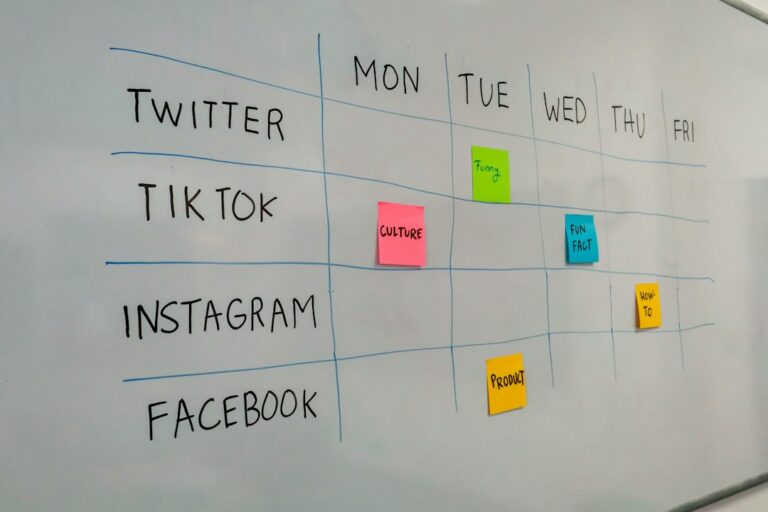
How to Build a Social Media Content Plan
Build a practical social media content plan with clear goals, content pillars, a realistic posting cadence, and a…
Read resourcePut what you learned into action.
Create, plan, schedule, publish, and measure your social media content with Postrillo.
Explore Postrillo